Printing a Registration Confirmation Page
You’ve just finished the online registration process for your ATV or UTV here in Maine, and that feeling of excitement to hit the trails is probably at an all-time high! But then a common question pops up: "What do I do now while I wait for the physical stickers to arrive?" It’s a real point of anxiety for many riders, especially when you’re itching to get out there. This comprehensive guide will walk you through exactly how to print your registration confirmation page and, more importantly, how to use it as your temporary ticket to Maine’s incredible trail system.
The Immediate Need to Ride: Why Your Confirmation Page Matters
There's nothing quite like the anticipation of a fresh registration, knowing your machine is legal and ready for adventure. However, the gears of bureaucracy, even online, take a little time to spin. While you might have completed the transaction in minutes, those official decals and registration cards don't magically appear on your doorstep the next day. This waiting period can be frustrating, especially when the weather is perfect, or you have a trip planned. That's where your registration confirmation page becomes your best friend.
Bridging the Gap Between Registration and Decals
Think of your registration confirmation page as your temporary passport to the trails. The state of Maine understands that waiting for physical mail can put a damper on your plans, and they've provided a way for you to legally ride almost immediately after registering. This digital or printed document is a crucial placeholder, offering verifiable proof that you've completed your due diligence and paid your fees. It's designed to ensure that the gap between hitting "submit" online and receiving your physical [Maine ATV Registration Sticker Delivery Time] in the mail doesn't keep you from enjoying our beautiful Maine woods and trails. For a lot of us, this immediate ability to ride is a huge convenience, saving us from having to delay weekend plans just because a piece of paper hasn't arrived yet.
Legal Proof of Registration for Immediate Trail Access
When you're out on the trails, especially in popular spots like the Moosehead Lake Region or Aroostook County, there's always a chance you might encounter a Maine Warden. These dedicated professionals are out there to ensure everyone is riding safely and legally. While they'll eventually look for those official decals affixed to your machine, they are fully aware of the delay in mail delivery for new registrations. Your printed confirmation page serves as legitimate, immediate proof that your ATV or UTV is registered. It contains all the necessary information for a warden to verify your compliance with Maine law. This means you can confidently embark on your ride, knowing that you have the proper documentation on hand. It's much better than risking a [Fine for an Unregistered ATV in Maine] just because your stickers haven't shown up yet.
How to Access and Print Your Online Registration Confirmation
Successfully completing your online registration is a satisfying feeling, but the next crucial step is making sure you have access to that confirmation page. It's often presented right at the end of the registration process, but knowing how to find it again, or what to do if you missed it, is important. The state's online system is designed to be user-friendly, but sometimes a little guidance helps.
Navigating the Maine IF&W Online Registration System
When you register your ATV or UTV online through the Maine Department of Inland Fisheries & Wildlife (IF&W) portal, the system is designed to give you instant access to your confirmation. Typically, after you've entered all your information, confirmed your details, and processed your payment, you'll be directed to a final screen. This screen usually displays a summary of your registration, along with a prominent button or link to "Print Confirmation" or "View Receipt." It's essential not to close your browser window too quickly after payment, as this is usually your prime opportunity to grab that page. The good news is, if you’re unsure about the whole process, we have a detailed guide on the [Maine IF&W Online Registration Walkthrough] that can help you navigate each step. Always make sure you're on the official Maine.gov site to ensure your information is secure and your registration is legitimate.
Printing and Saving Your Digital Copy
Once you see that confirmation page, your first instinct should be to print it. A physical copy, tucked away safely, is invaluable when you're out on the trails. Most browsers will allow you to either print directly to a physical printer or "print to PDF" if you want to save a digital copy on your computer or phone. Saving it as a PDF is an excellent backup strategy. You can email it to yourself, store it in cloud storage like Google Drive or Dropbox, or keep it on your phone for easy access. Having both a physical printout and a digital file ensures you're covered, whether you accidentally leave the paper at home or your phone battery dies. It's a small step that provides a lot of peace of mind, knowing you have proof of registration even if technology decides to be uncooperative on the trail.
What Information Is on the Confirmation Page?
While your confirmation page is a temporary document, it's still a formal record from the state of Maine. This means it's packed with important details that verify your machine's registration status. Understanding what information should be present and why it's important can help you quickly confirm its accuracy and legitimacy.
Key Details to Verify for Accuracy
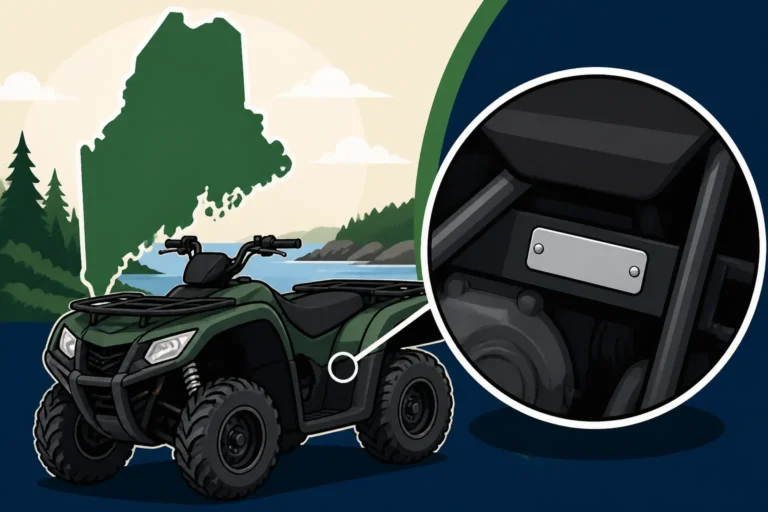
Your registration confirmation page will include several critical pieces of information, and it's always a good idea to double-check these against your records before heading out. You should see your full name and mailing address as the registered owner. The specifics of your ATV or UTV will be listed, including the Vehicle Identification Number (VIN), make, model, and year. Perhaps most importantly, the page will display your temporary Maine ATV or UTV registration number and the clear expiration date of this registration. If you registered several machines, ensure each one has its unique confirmation page. Any discrepancies in these details could lead to confusion or issues if you're stopped by a warden. It’s always best to rectify any errors with IF&W as soon as possible, rather than finding out mid-ride that there's a problem. This due diligence ensures that your confirmation page truly serves its purpose as valid proof.
Understanding the Temporary Nature and Validity Period
It’s crucial to remember that this confirmation page is a temporary solution. It's not meant to be a permanent replacement for your physical registration card and decals. Typically, the confirmation page is considered valid for a set period, which is usually until your actual stickers and card arrive in the mail, or for a specific number of days, whichever comes first. This temporary validity is exactly why it’s so important for [Riding Before Your Stickers Arrive]. You’re given this grace period to enjoy the trails while the mail makes its way to you. Once your physical decals are on your machine and you have the hard card, the confirmation page can be archived or discarded. But until then, it's your go-to document for proving registration compliance.
| Document Type | Purpose | Validity | Key Information Included |
|---|---|---|---|
| Confirmation Page | Temporary proof of recent registration | Until stickers arrive or ~30 days | Owner info, VIN, make/model, reg #, expiration date |
| Physical Registration Card | Official proof of registration, long-term | Full registration period (e.g., 1 year) | Owner info, VIN, make/model, reg #, expiration date |
| Physical Decals/Stickers | Visual proof of registration on the machine | Full registration period (e.g., 1 year) | Maine Registration Year, Registration # (affixed to ATV) |
| Bill of Sale | Proof of ownership during purchase | Permanent (record of sale) | Buyer/Seller info, VIN, purchase price, date |
Using Your Confirmation Page on the Trails
Once you have your confirmation page in hand (or on your phone), you're almost ready to ride. But there's a little more to it than just having it. How you carry it and what to do if you're stopped are practical considerations that can make your trail experience smooth and stress-free. After all, nobody wants a pleasant ride interrupted by unnecessary hassle.
Proper Storage and Display While Riding
Carrying important documents on an ATV or UTV requires a bit of forethought. The trails can be dusty, muddy, wet, and bumpy, all conditions that are not friendly to paper. The best practice is to keep your printed confirmation page protected. A zip-lock bag or a dedicated waterproof document holder tucked into a glove compartment, a storage box, or a secure backpack is ideal. You want it to be readily accessible if you need it, but also safe from the elements. Some riders even laminate a copy, though a simple plastic bag works just as well. The key is protection and accessibility. For more tips on document management, especially how to keep your registration safe and sound while you're out exploring, check out our guide on [Storing Registration Paperwork on the Machine]. It's a small effort that can prevent a big headache down the line.
What to Expect During a Warden Stop
Encountering a Maine Warden on the trails is a common occurrence, and it's usually a positive interaction. They're often out there ensuring safety, checking for proper registration, and offering assistance. If you are stopped, remain calm and courteous. When asked for your registration, explain that you just registered online and your physical stickers are in the mail. Present your printed confirmation page. The warden will typically verify the information, possibly checking the VIN on your machine against the document, and confirm the recent registration date. They are familiar with this process and understand the temporary nature of the confirmation page. As long as the information is accurate and matches your machine, you should be good to go. Remember, wardens appreciate cooperation, and having your paperwork in order, even the temporary kind, shows you're a responsible rider. Our article [Maine Warden Stops and ATV Paperwork] offers even more insights into what to expect during these encounters.
Common Questions and Troubleshooting
Even with the best intentions, things can sometimes go awry. Maybe you forgot to print the page, or perhaps your printer decided to quit at the crucial moment. Don't fret! These are common scenarios, and there are straightforward solutions to ensure you still have access to your proof of registration.
What if I Didn't Print It Immediately?
It happens to the best of us! You get excited, click through, and then realize you never actually printed that confirmation page. If you've closed your browser, don't panic. For registrations completed through the Maine IF&W online system, you often have a few avenues to retrieve it. Check your email inbox first; sometimes, the system automatically sends a confirmation email with a link to your receipt or a PDF attachment of the page. If not, you may be able to log back into the IF&W online registration portal using your transaction ID or other identifying information to access your past registrations and print the confirmation. If all else fails, a quick call to the Maine IF&W Inland Fisheries & Wildlife main office during business hours can often resolve the issue. They can look up your registration and guide you on how to get a copy.
Dealing with Lost or Damaged Confirmation Pages
Life on the trails can be tough on paperwork. A sudden downpour, a rogue splash of mud, or simply misplacing a paper copy can leave you without your temporary proof. If your printed confirmation page gets lost, damaged, or becomes unreadable, the first step is to check if you saved a digital copy. If you printed to PDF or emailed it to yourself, you can simply print another fresh copy. If you didn't save a digital backup and can't retrieve it from the online system, contacting IF&W is your next best bet. They can often provide a duplicate or guide you on how to get a copy of your completed registration. It’s always good practice to have at least two forms of this temporary confirmation – one printed and one digital – to safeguard against these common mishaps. If you've lost your actual registration card, a slightly different process applies, which is detailed in [Replacing a Lost ATV Registration].
The Role of a Bill of Sale Alongside Your Confirmation
Especially if you've recently purchased your ATV or UTV, carrying a bill of sale, even alongside your registration confirmation, is a very smart move. The confirmation page proves your machine is registered with the state, but a bill of sale proves you own it. This distinction can be important, particularly if there are any questions about the machine's history or if you're riding a newly acquired quad or side-by-side. A comprehensive bill of sale should include the buyer and seller's information, the date of sale, the purchase price, and most importantly, the VIN of the machine. This document provides an iron-clad paper trail for ownership. Many riders find it helpful to use templates for these documents, and resources like LawDepot offer easy-to-use forms for creating a robust [Maine ATV Bill of Sale: What to Include]. Keeping both your confirmation page and a copy of your bill of sale protected and accessible while riding ensures you have all your bases covered for both registration and ownership verification.
Beyond the Confirmation: What Happens Next?
While your confirmation page is a fantastic tool for immediate trail access, it's not the end of the registration journey. The goal is to get those official, durable decals and the permanent registration card. Knowing what to expect next will help you transition smoothly from temporary proof to permanent compliance.
Anticipating Your Physical Stickers and Decals
After successfully registering online and printing your confirmation, the waiting game for your physical registration stickers and card begins. The Maine IF&W aims to process and mail these items as efficiently as possible, but like any mail service, there's a processing and delivery window. While an exact timeframe can vary, most riders in Maine report receiving their decals and card within a few weeks of their online registration. Factors like seasonal demand (e.g., peak riding season) can sometimes slightly extend this. Keep an eye on your mailbox for an envelope from the state. Understanding [How Long Maine ATV Stickers Take to Arrive] can help manage your expectations and ensure you don't fret if they're not there in a couple of days. Until they arrive, continue to use your printed confirmation page with confidence.
Proper Placement of Your New Registration Decals
Once those official registration decals finally land in your mailbox, the final step is to affix them correctly to your ATV or UTV. Proper placement isn't just about aesthetics; it's a legal requirement that ensures wardens can easily identify your machine's registration status from a distance. Maine law specifies where these decals should be displayed – typically on each side of the machine, in a conspicuous location, forward of the operator, and not obscured by any accessories or mudguards. It’s important to clean the surface thoroughly before applying the decals to ensure good adhesion, especially if you want them to last through all seasons. For a detailed breakdown on exactly where to put them, and tips to ensure they stay put, our guide on [Where Maine ATV Stickers Go and When They Arrive] provides all the information you'll need. Once they're on, and you have your physical registration card, you're fully and permanently compliant with Maine's ATV and UTV registration laws, ready for countless adventures on the trails.
Disclaimer
This article is for general informational purposes only and does not constitute professional advice. Laws, prices and regulations vary by location and change over time. Consult a qualified professional for guidance on your specific situation.